How to put your own words or a favorite quote on your iPhone Home Screen
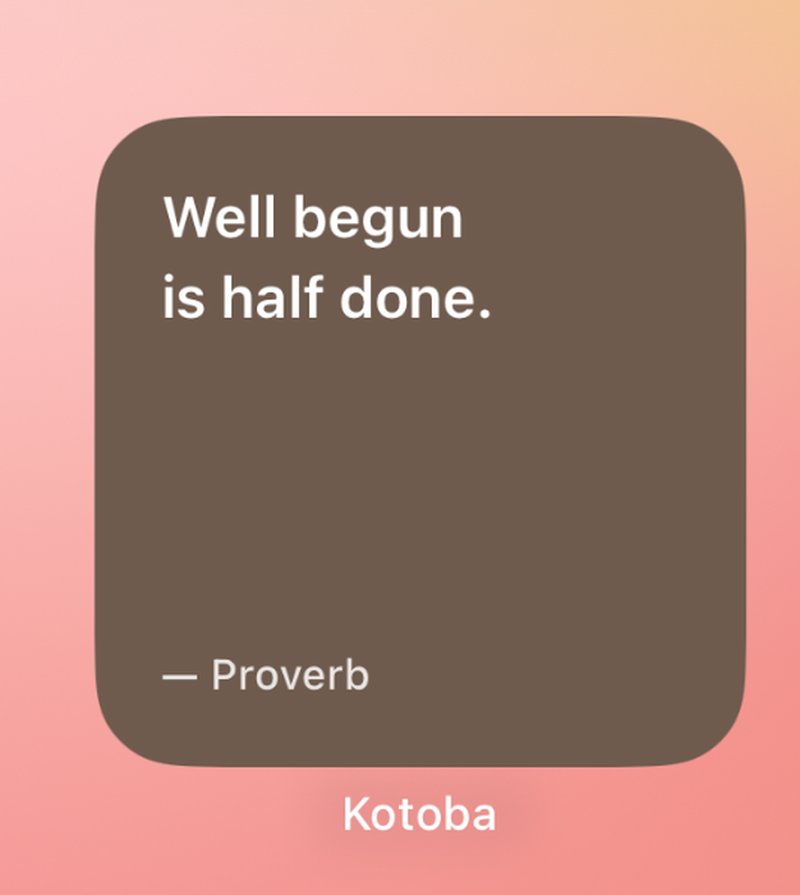
A motto, a line from a book or a film, a promise to yourself. Saved in a notes app, it gets buried. On a widget, you see it every time you pick up your phone.
Here is how to do it with Kotoba, a custom text widget. Twenty phrases and one phrase on your widgets are free.
1. Save your words
Open Kotoba and tap + at the bottom right.
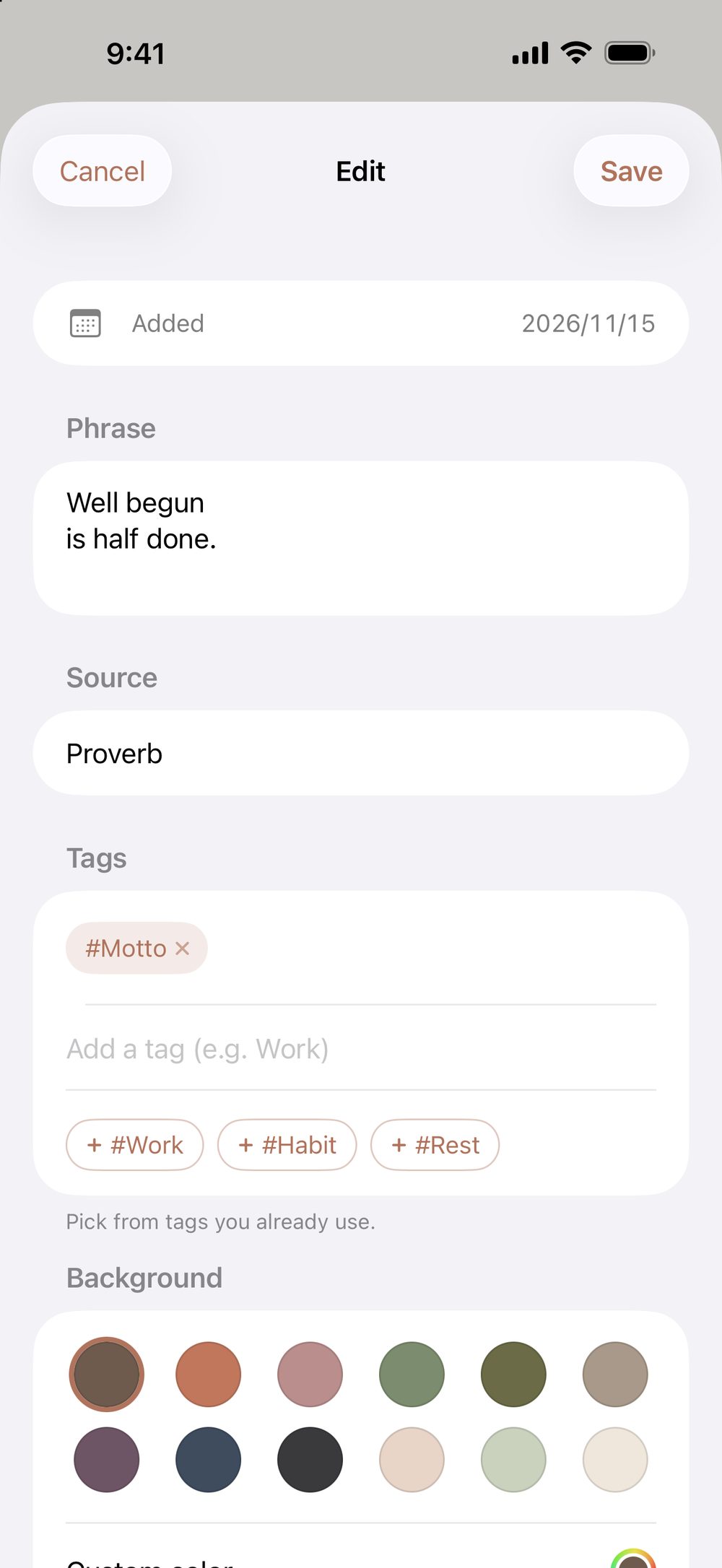
Type the words under Phrase.
Optional: add a Source (a book, a film, a friend), Tags and a Background color for the widget.
Tap Save.
The first time you open Kotoba, there are a few sample phrases. You can keep them or remove them.
2. Put the widget on your Home Screen
Touch and hold an empty spot on your Home Screen.
Tap Edit (or +) in the top corner and search for “Kotoba”.
Pick Small, Medium or Large and tap Add Widget.
3. Choose the words it shows
Touch and hold the widget, tap Edit Widget, and choose your words under Phrase. If you don't choose, it shows the first phrase in your list. Tap the widget to open that phrase in the app.
On the Lock Screen
Touch and hold the Lock Screen, tap Customize, choose the Lock Screen, tap the widget area and add Kotoba. There are three Lock Screen styles. Choose the phrase the same way, with Edit Widget.
Want more?
Kotoba Pro is a one-time purchase, not a subscription:
As many phrases as you like
As many widgets as you like, each with different words
A new phrase each day, each week or each hour, from your own phrases (narrowed by tag if you like)
Font, text size and alignment for each widget
Import a backup and iCloud sync, for a new or second device
Questions
Do I need an account or a subscription?No. Your phrases stay on your iPhone. Twenty phrases and one phrase on your widgets are free. Kotoba Pro is a one-time purchase, not a subscription.
My widget says “Show with Pro”.In the free version, your widgets show one phrase. To show different words, open the menu (…) in Kotoba and tap “Switch my widget's phrase”, then touch and hold the widget, tap Edit Widget and choose the new phrase. Widgets with different phrases at the same time are part of Pro.
Can the words change every day?Yes, with Pro: in Edit Widget, set “Display” to “A new one each day”, “A new one each week” or “A new one each hour”. It picks from your own phrases, and you can narrow it by tag.
What happens at 20 phrases?Nothing you saved is deleted. Only adding new phrases stops. With Pro you can add as many as you like.