How to get a famous painting on your iPhone Home Screen every day
Van Gogh, Vermeer, Rembrandt. A widget that changes at midnight turns your Home Screen into a small museum visit each time you pick up your phone.
Here is how to set it up with Museday. The Small widget with today's painting is free.
1. Open Museday once
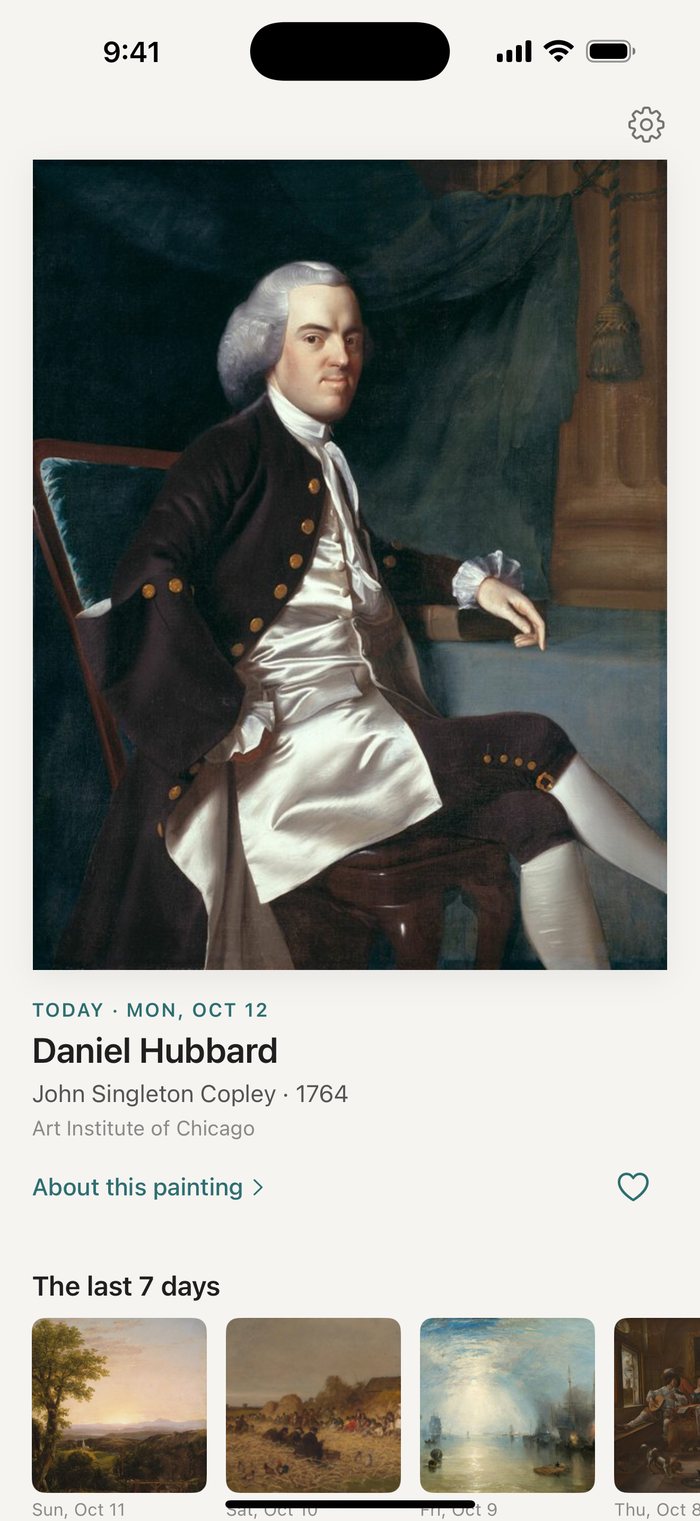
Install Museday and open it. Today's painting is on the first screen, with its title, artist, year and the museum that holds it. Tap About this painting to read the museum's own text about the work.
2. Put the widget on your Home Screen
Touch and hold an empty area of your Home Screen until the apps jiggle.
Tap Edit (or +) in the top corner, then search for “Museday”.
Pick the Small size and tap Add Widget.
That's all. Each night at midnight, a new painting takes its place. There are 511 paintings by 290 artists, all built into the app, so it keeps changing even offline.
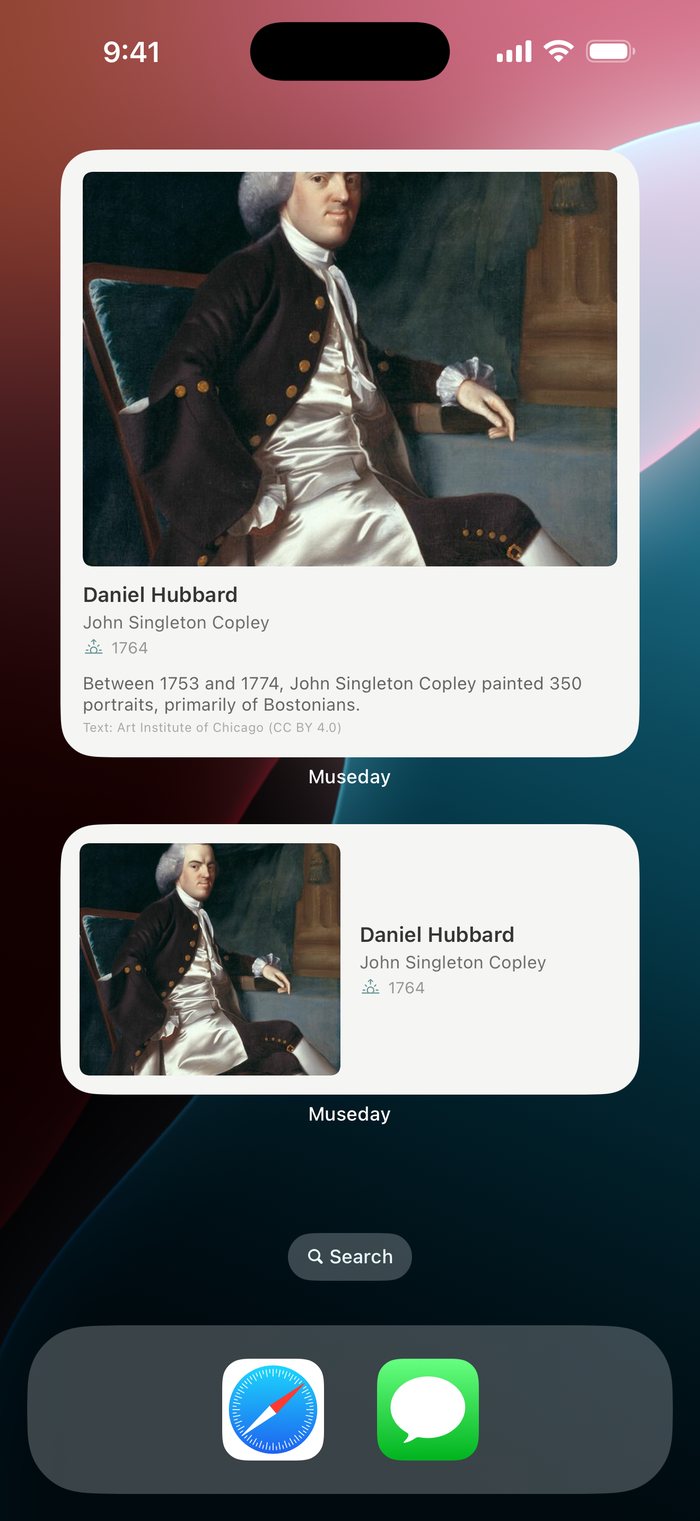
The two widgets in this picture are the Large and Medium sizes, part of Museday Pro. The free widget is the Small size, with the painting filling the square.
3. On the Lock Screen
Touch and hold the Lock Screen, tap Customize, tap the widget area and add Today's Painting (title) from Museday. It shows the title and artist of today's painting. Lock Screen widgets are free.
Want more?
Museday Pro is a one-time purchase, not a subscription:
Medium and Large widgets — “Painting and title” or “Painting only”
An Extra Large widget on iOS 27
Widgets that show your favorites, a theme, a period or a museum, chosen under “Show” in Edit Widget
Every past day's painting, with filters by period, museum and artist
Questions
Is it free?The Small widget with today's painting and the Lock Screen widgets are free, with no time limit and no ads. Museday Pro, a one-time purchase, adds Medium, Large and Extra Large widgets, widgets that show your favorites, a theme, a period or a museum, and every past painting.
When does the painting change?Every day at midnight. All 511 paintings are built into the app, so it changes even without an internet connection.
My Medium or Large widget is blurred and says “Museday Pro”.Medium, Large and Extra Large widgets are part of Pro. In the free version, use the Small size.
Can I see yesterday's painting again?Yes. The paintings from the last 7 days are on the Today screen under “The last 7 days”. Earlier days open with Pro.