Mantel · Guide · 日本語 · Português
A widget is a fixed shape. Your photo usually isn't. When the two don't match, the widget has to crop something — and with portraits, that is often the top of someone's head or the person standing at the edge.
In Mantel there are two ways to fix it. Both are free.
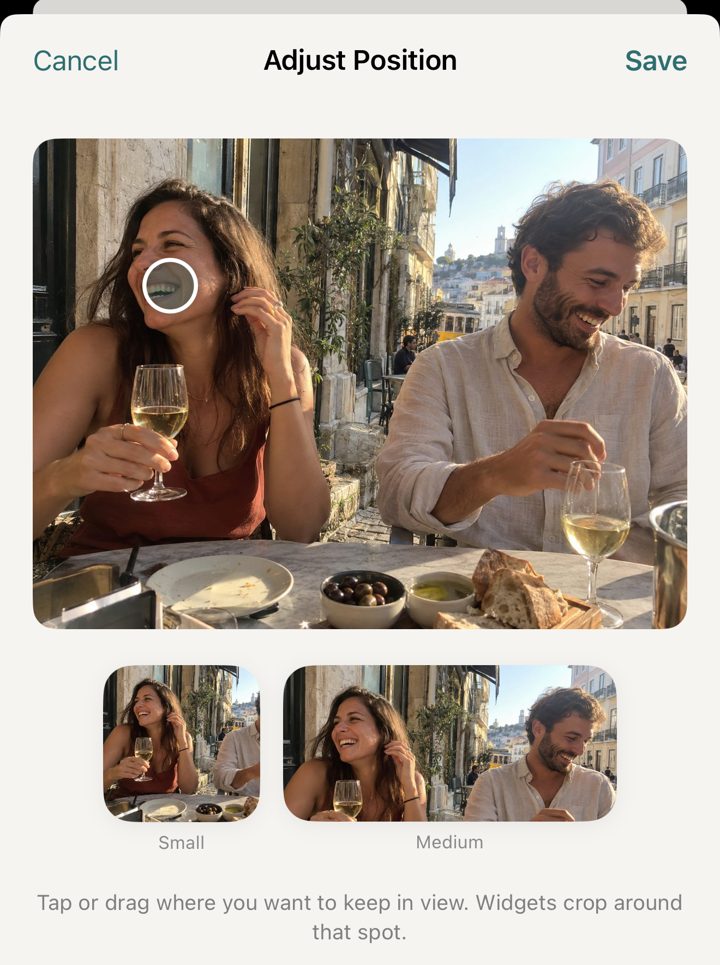
A Small widget is square. Most iPhone photos are 3:4 tall or 4:3 wide. To fill the square, part of the photo has to go. By default the crop is taken from the middle of the photo, so a face near the top or side can fall outside it.
Best when you want the widget filled edge to edge, but centered on a face.
You can set a different spot for each photo. To go back to the middle, tap “Center”.
Best when nothing in the photo should be cut — a group shot, or a photo with text in it.
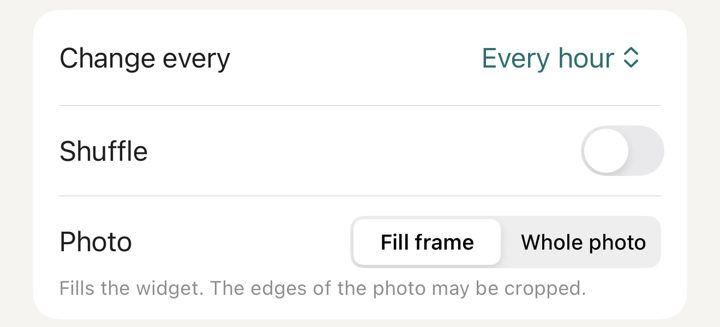
The widget shows the entire photo without cropping, with a small margin around it. This applies to every photo in the set. “Fill frame” switches back to filling the widget.
No subscription, no ads, no account. · About Mantel · How to use & FAQ
English · 日本語 · 简体中文 · 繁體中文 · 한국어 · Deutsch · Français · Español · Italiano · Nederlands · Polski · Português · Русский · ไทย · Türkçe · Українська · Tiếng Việt · Bahasa Indonesia