Mantel · Guide · 日本語 · Português
You picked several photos, but the widget keeps showing the same one. In most cases it is one of four settings.
Here is what to check in Mantel, a photo widget app for iPhone.
The widget moves to the next photo in the set. A set with one photo has nothing to change to. Open the set and tap Add to add two or more.
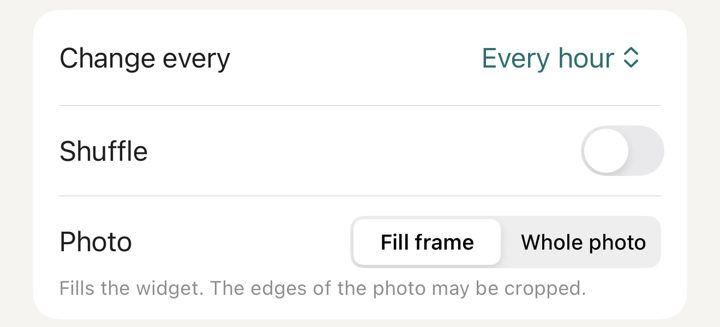
In the set, “Change every” decides how often the photo changes.
If it is set to “Once a day”, the photo changes only once a day.
Each widget shows one set. Touch and hold the widget, tap Edit Widget, and check the Set. If none is chosen, it shows your first set.
Medium and Large widgets are part of Mantel Pro. In the free version, use the Small widget.
No subscription, no ads, no account. · About Mantel · Faces cut off? How to fix it
English · 日本語 · 简体中文 · 繁體中文 · 한국어 · Deutsch · Français · Español · Italiano · Nederlands · Polski · Português · Русский · ไทย · Türkçe · Українська · Tiếng Việt · Bahasa Indonesia